
MSDC Toolbox
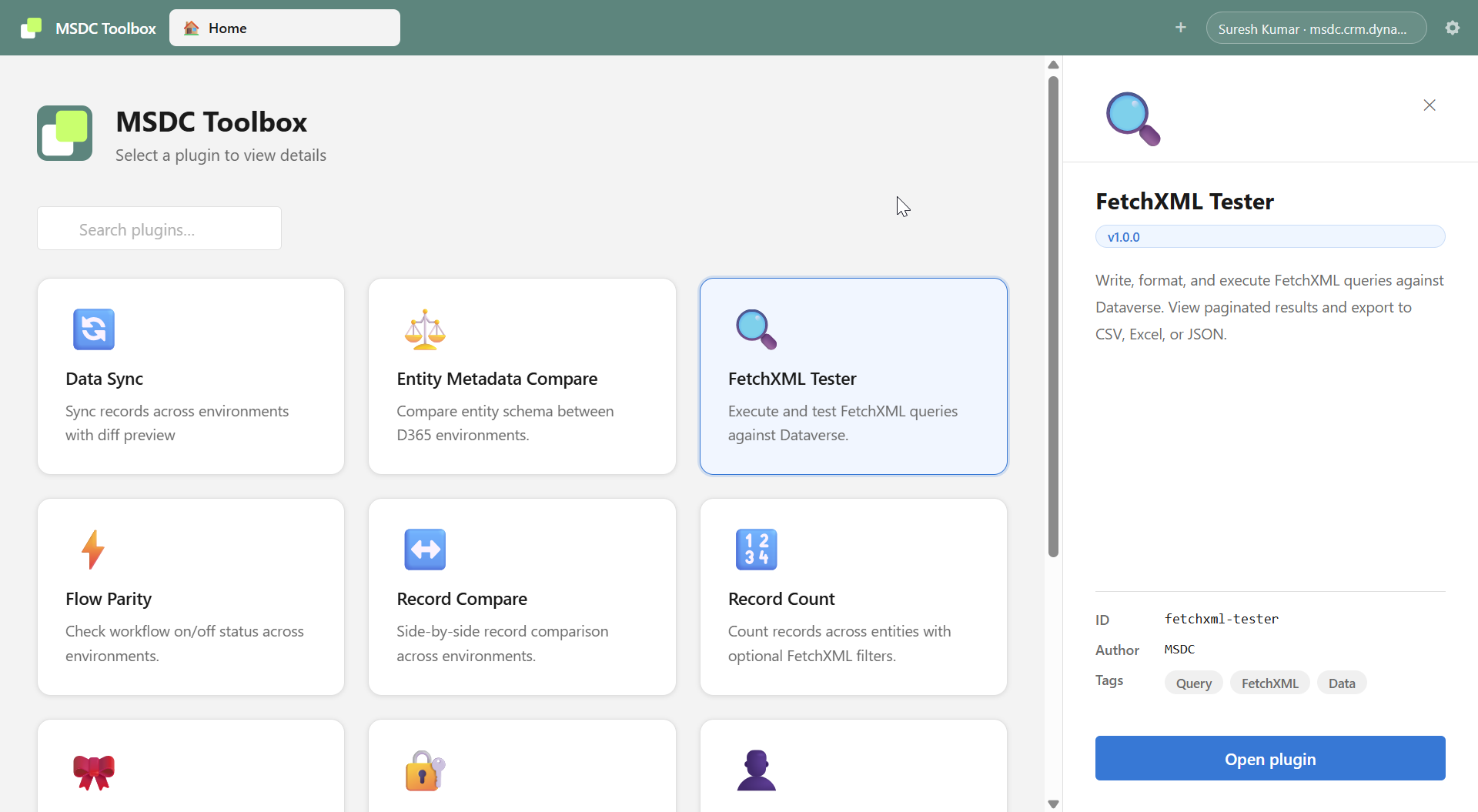
Comprehensive Power Platform administration toolkit with 17 powerful plugins for comparing, analyzing, and managing Dataverse environments.
Why MSDC Toolbox?
Managing Power Platform environments across development, testing, and production can be complex. MSDC Toolbox simplifies this by providing a comprehensive suite of utilities built specifically for Power Platform administrators and developers.
Cross-Environment Comparison
Compare metadata, records, configurations across environments
Data Synchronization
Safely sync data between environments with diff preview
Security Analysis
Visualize and compare security roles and permissions
Development Tools
Test FetchXML queries and export data efficiently
Complete Toolkit for Power Platform
MSDC Toolbox includes specialized plugins for different Power Platform administration and development tasks.
Data Studio
Sync table records between Dataverse environments with preview, conflict detection, multiple sync modes, and detailed logs.
Learn MoreSchema Compare
Compare entity schema, fields, forms, views, keys, business rules, and relationships between environments.
Learn MoreFetchXML Studio
Build, write, and execute FetchXML queries with a visual query builder, pagination, and export options.
Learn MoreProcess Compare
Compare workflow and cloud flow status across environments and export comparison results.
Learn MoreRecord Compare
Side-by-side record comparison with field-level difference highlighting and export options.
Learn MoreRecord Count
Bulk entity record counting with optional FetchXML filters and cross-environment comparison.
Learn MoreRibbon Compare
Compare ribbon and command bar customizations with syntax-highlighted XML diff and export.
Learn MoreRole Matrix
Interactive users × roles matrix with team-inherited assignments and export to Excel.
Learn MoreMy Profile
View your Dataverse user details, business unit, access level, and connection diagnostics.
Learn MoreRole Assignment Compare
Compare user role assignments across environments, showing direct and team-based assignments.
Learn MoreWeb Resource Compare
Compare web resources with syntax-highlighted diff view for HTML, CSS, JS, XML and export differences.
Learn MoreCustom API & Action Tester
Browse and execute Custom APIs and Custom Process Actions with dynamic parameter forms and full response inspection.
Learn MoreDataverse Explorer
Postman-style HTTP client for the Dataverse Web API with schema-aware body editor and saved requests.
Learn MorePlugin Trace Viewer
Filter and analyse Dataverse plugin trace logs with exception highlighting and correlation chains.
Learn MoreSolution Component Mover
Copy solution components between solutions with audit logs and per-component success/failure tracking.
Learn MoreDocument Template Manager
Manage Word, Excel, and Email templates across environments with activate, deactivate, edit, delete, and copy capabilities.
Learn MoreWeb Resource Manager
Browse, edit, upload, publish, and sync web resources across environments without using the Maker Portal.
Learn MoreRequest a Tool
Don't see what you need? Let us know what tool would help your Power Platform workflow.
Suggest a FeatureCompatible with Windows 10 & 11
Minimum Requirements
- Windows 10 (version 1809+) or Windows 11
- Intel Core i3 or equivalent, 1.6 GHz
- 4 GB RAM
- 500 MB available disk space
- 1280×720 minimum resolution
- Internet connection required
Recommended Requirements
- Windows 11
- Intel Core i5 or equivalent, 2.0 GHz+
- 8 GB RAM or more
- 1 GB available disk space
- 1920×1080 resolution or higher
- Broadband connection
How MSDC Toolbox Works
Get up and running in minutes with our streamlined setup process.
Download
Download the installer and run the setup wizard with administrator privileges.
Connect
Add your Dataverse environment URL and authenticate with Microsoft Entra ID.
Select Plugin
Choose from 17 specialized plugins based on your administration task.
Execute
Run comparisons, sync data, or analyze your Power Platform environments.
Enterprise-Ready & Secure
MSDC Toolbox is built with cutting-edge technology to deliver superior performance, security, and reliability for Power Platform professionals.
Secure Authentication
OAuth 2.0 with encrypted token storage
Native Performance
Electron-based desktop application
Auto Updates
Seamless background updates every 4 hours
Code Signed
Verified publisher certificate
Technology Stack
- Framework: Electron 41.2.2
- UI Library: React 18.3
- Language: TypeScript 5.7
- Authentication: MSAL (Microsoft Authentication Library)
- API: Dataverse Web API
Frequently Asked Questions
Ready to Streamline Your Power Platform Administration?
Download MSDC Toolbox today and experience the power of 17 specialized plugins designed specifically for Power Platform administrators.
Compatible with Windows 10 and Windows 11 | Secure Microsoft Entra ID Authentication | Automatic Updates